Alpha
The Alpha snapshot creates practice ECX that can be used to test the network and compatible wallets.
 ECXIUM
如果你的 Bitcoin 地址符合 eCash (ECX) 条件,可以将对应 Bitcoin 钱包导入 ECXIUM,访问相应 ECX。无需单独的手动 claim transaction,也无需手动 split 按钮。
导入符合条件的 Bitcoin 钱包后,ECXIUM 会自动处理 safe coin splitting 与 replay protection。
如果某个 Bitcoin 地址在相关 snapshot 时持有 BTC,则会根据相应网络阶段生成对应 ECX 余额。
Bitcoin 不会转换成 ECX,也不会离开 Bitcoin 网络。fork 后,BTC 与 ECX 独立存在。
使用 ECXIUM 访问 ECX 时,导入控制该符合条件地址的 Bitcoin 钱包。ECXIUM 会识别对应 ECX,并管理 safe separation/replay protection。
ECXIUM 没有单独的 Claim 或手动 Split 按钮。
重要: BTC 留在 Bitcoin 网络。ECX 独立存在于 eCash 网络。导入 Bitcoin 钱包不会把 BTC 转成 ECX。
了解BTC 与 ECX 如何分离
Learn how BTC and ECX are safely separated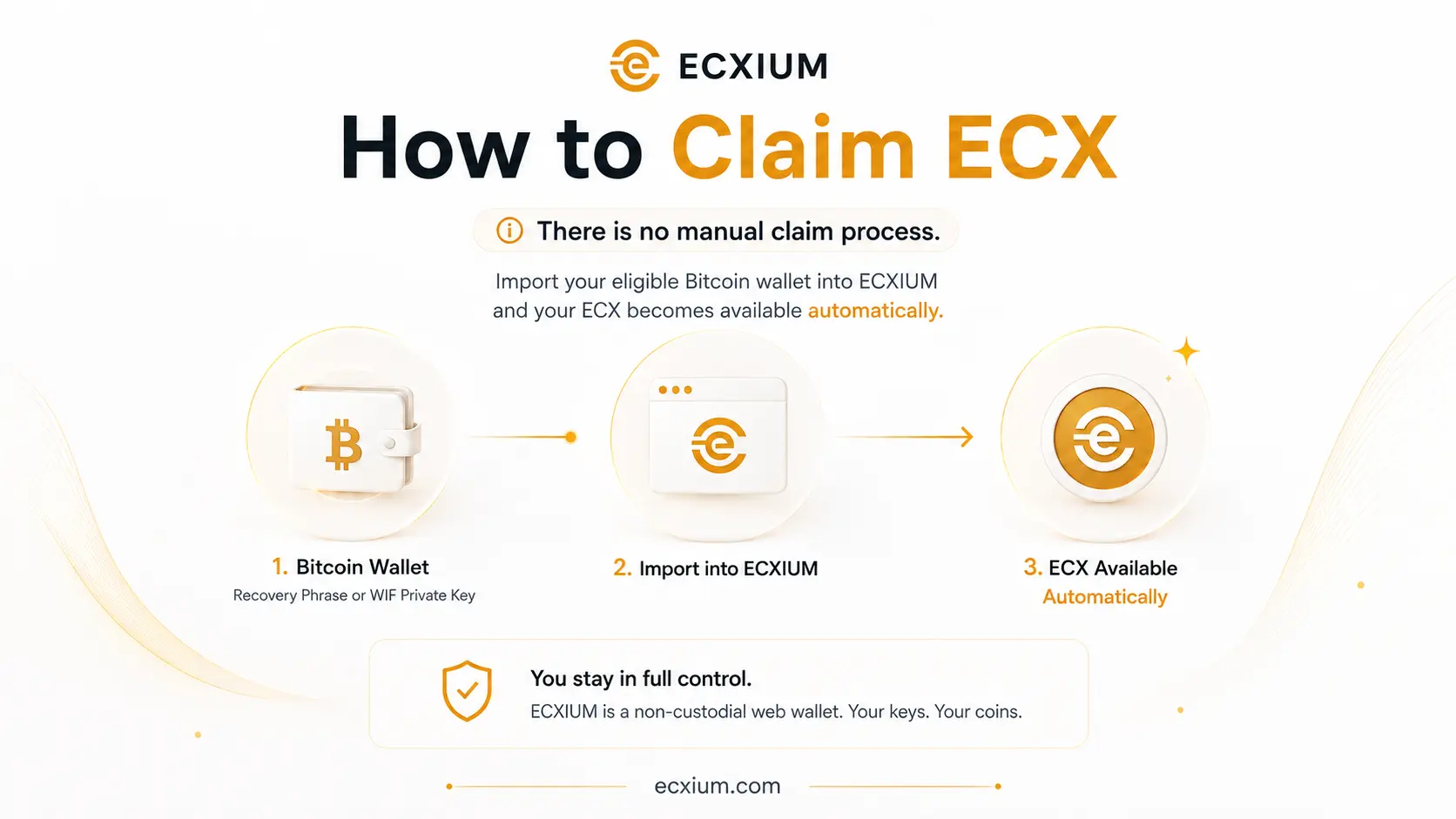
The ECX network launches in three stages. ECX Beta Testnet is now the active stage and uses practice ECX. Alpha was the first practice stage, while permanent ECX is established at Mainnet.
| 阶段 | Block 网络 | 余额类型 | Alpha |
|---|---|---|---|
| ~963,648 ECX Alpha Testnet | Practice ECX | Beta | 967,680 ECX Beta Testnet |
| Practice ECX | Mainnet | ~973,728 ECX Mainnet | Permanent ECX |
| Mainnet | ~973,728 | ECX Mainnet | Permanent ECX |
The Alpha snapshot creates practice ECX that can be used to test the network and compatible wallets.
Beta is the second testing stage before the permanent ECX network begins.
The mainnet snapshot establishes permanent ECX balances.
Alpha 和 Beta 使用 Practice ECX,不应与 Mainnet 的 Permanent ECX 混淆。
不要把 Recovery Phrase/private key 输入 public checker。checker 是外部服务,并非由 ECXIUM 运营。
打开 wallet.ecxium.org,选择 Import Wallet。
选择兼容的 Recovery Phrase 或 WIF private key。
如果导入的 Bitcoin 地址有相关 ECX 余额,ECXIUM 可访问对应余额。
必要时自动处理 coin splitting 和 replay protection。
根据网络阶段,钱包可能显示 Alpha/Beta Practice ECX 或 Mainnet Permanent ECX。
通过助记词导入兼容钱包。它可以恢复 wallet structure 以及由 phrase 派生出的相关地址。
通过 WIF private key 导入特定 Bitcoin 地址。WIF 对应特定 key/address,不等同于整个 phrase-based wallet。
ECXIUM handles coin splitting and replay protection automatically when you import an eligible Bitcoin wallet.
Bitcoin 与 ECX 共享 fork 前的历史,因此在安全分离之前可能存在 replay risk。
ECXIUM 会为符合条件的 Bitcoin wallet import 管理 wallet-side safe separation 与 replay protection,因此用户不需要手动构造 replay-protection transaction。
ECXReplay Protection 指南
Read ECX Replay Protection导入 Bitcoin 钱包,ECXIUM 处理其余必要步骤。
你不需要: - 创建手动 claim transaction; - 使用单独的 coin splitting 服务; - 自己构造 replay protection transaction; - 为获取对应 ECX 而移动 BTC。
Import Wallet → Wallet Imported → ECX Detected → Ready to Use
"不需要手动 split"并不意味着 BTC 与 ECX 不需要安全分离。它表示 ECXIUM 会在需要时自动完成该流程。
"No manual split required" does not mean that BTC and ECX do not need to be safely separated. ECXIUM performs this process automatically for you.
Claiming or accessing ECX does not convert your Bitcoin into ECX.
Your BTC remains on the Bitcoin network and your ECX exists separately on the eCash network.
However, Bitcoin and ECX originate from the same pre-fork transaction history. This is why replay protection and safe coin splitting matter when using post-fork funds.
不会。BTC 留在 Bitcoin 网络,ECX 独立存在于 eCash 网络。
不过,由于 shared pre-fork transaction history,在管理 fork 后资产时,replay protection 与 safe coin splitting 很重要。
If your Bitcoin wallet is backed up with a compatible Recovery Phrase, you can use that phrase to import the wallet into ECXIUM.
兼容的 Recovery Phrase 可能控制多个 Bitcoin 地址。ECXIUM 可以识别支持的 derived addresses 及其对应 ECX 余额。
Recovery Phrase 可以控制钱包资产。不要把它输入 eligibility checker、搜索引擎、聊天软件或无关网站。
If you control a Bitcoin address through a WIF private key, you can import that key directly into ECXIUM.
This method is useful when you want to access ECX associated with a specific eligible Bitcoin address rather than restore an entire Recovery Phrase wallet.
如果要访问与某个特定符合条件的 Bitcoin 地址关联的 ECX,可导入对应 WIF private key。
如果 snapshot 时 BTC 位于 exchange 或 custodial service,private keys 通常由 custodian 控制。
这种情况下,能否访问 ECX 取决于平台是否支持 fork 与 distribution。
如果你没有符合条件 Bitcoin 地址的 key 或 Recovery Phrase,ECXIUM 无法从 custodial account 中恢复 ECX。
Self-custody: 你自己控制 keys。 Exchange custody: ECX distribution 可能取决于交易所支持。
通过 ECXIUM 可以: - 查看 ECX 余额; - 接收 ECX; - 发送 ECX; - 查看 transaction history; - 使用二维码; - 根据 wallet 类型管理多个地址。
Beta 阶段,界面应明确显示 ECX Beta Testnet / Practice ECX。
ECXIUM 是面向 eCash (ECX) 的独立钱包。
不需要。导入符合条件的 Bitcoin 钱包,ECXIUM 会识别对应 ECX。
为 replay protection 可能需要安全分离;ECXIUM 会自动处理。
没有。
不会。
不是。Permanent ECX 从 Mainnet 开始。
使用 public Bitcoin address。
如果交易所控制 keys,则取决于该平台是否支持。
可以,用于兼容的特定 key/address。
可以,用于兼容钱包。
不是。ECXIUM 是面向 eCash (ECX) 的独立 non-custodial wallet。
Import your eligible Bitcoin wallet into ECXIUM. Safe coin splitting and replay protection are handled automatically.